
Cliniko Technology Partner
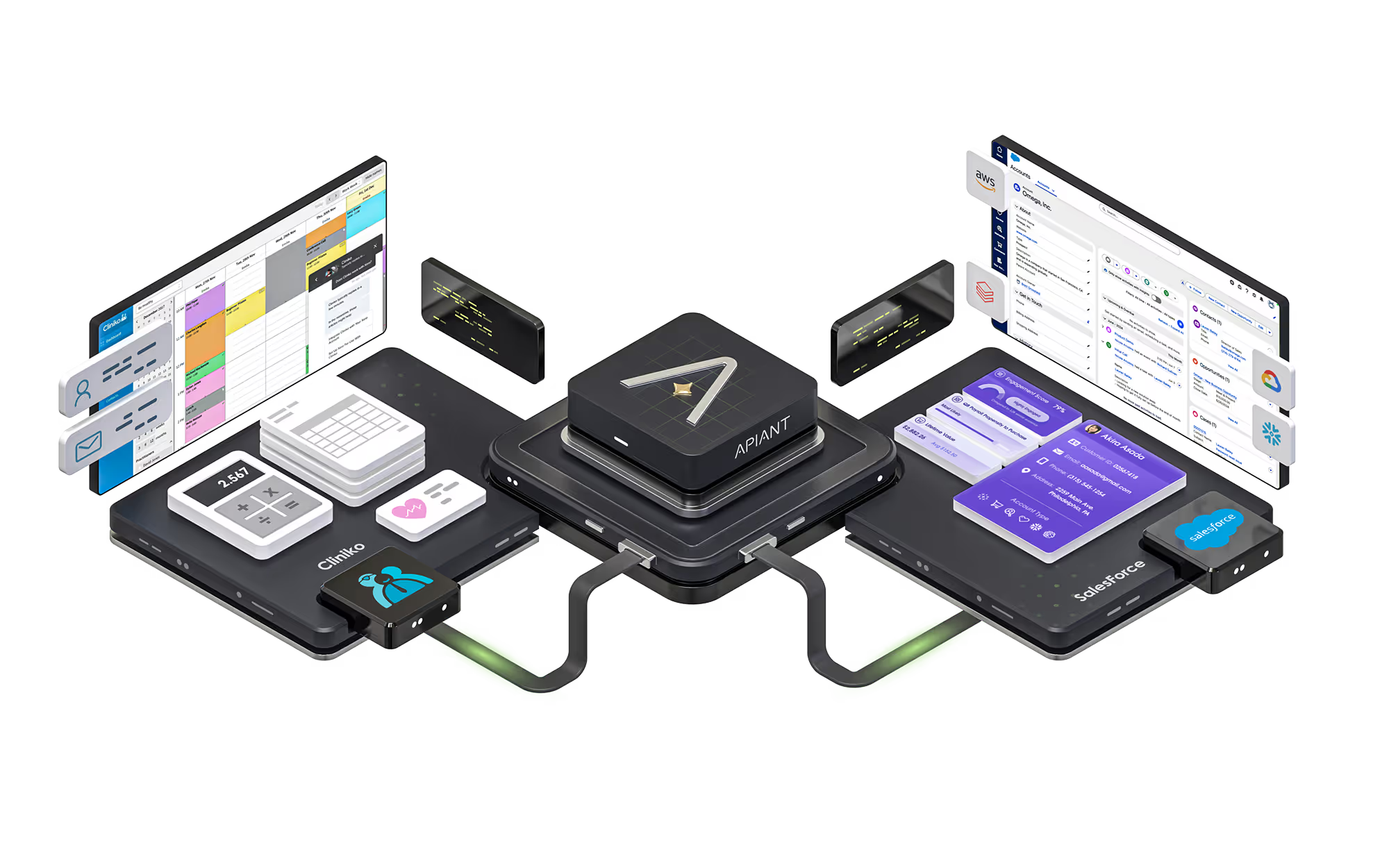
Cliniko and Salesforce

Stop Losing Patients Between Cliniko and Salesforce

CRMConnect

Before you see pricing, see exactly what you're getting - and why hundreds of healthcare practices already rely on it.

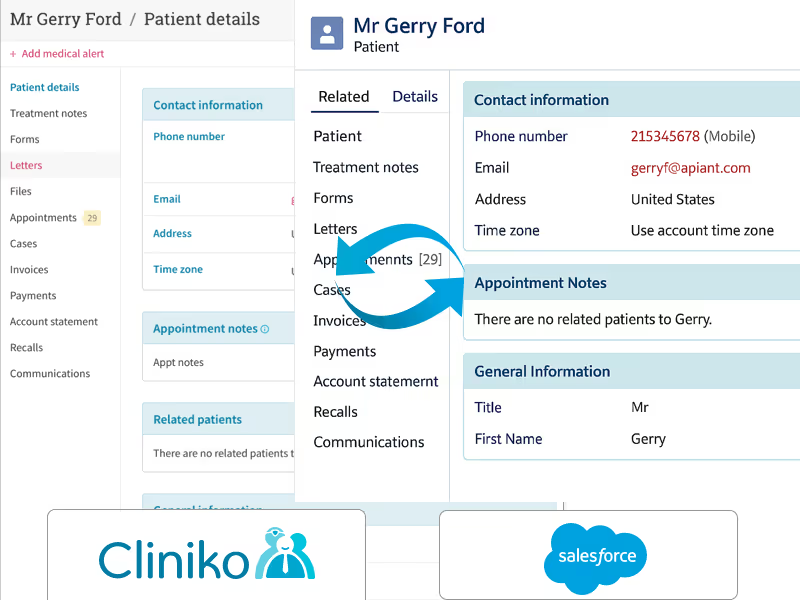
CRMConnect Cliniko and Saleforce
Trusted by healthcare practices worldwide
Trusted by partners and customers

Your Cliniko Data Is Locked Away

You have thousands of patients in Cliniko. But without the right integration, your operations team can't use that data where it matters.

Manual Patient Entry

Staff waste time copying patient info between Cliniko and Salesforce instead of delivering care and growing your practice.

Fragmented Patient View

Without unified data, your team pieces together patient history from two disconnected systems - missing critical context and slowing down decisions.

Disconnected Care Coordination

Without real patient activity data in Salesforce, follow-ups are generic, referrals fall through the cracks, and no one has the full picture.

Live in 3 Steps. No Coding Required.

1

Connect

Link your Cliniko and Salesforce accounts in minutes. No developers needed.

2

Configure

Choose what to sync. CRMConnect handles the data logic, deduplication, and mapping.

3

Grow

Build Salesforce workflows on rich, real-time patient data. Automate what matters.

See Pricing →
Flexible pricing based on your needs

Key Features of Cliniko + Salesforce Integration

Automatically turn Cliniko data into actionable insights and workflows within Salesforce, streamlining your operations and enhancing patient relationships.

Bi-Directional Patient and Contact Sync

Bi-Directional Patient and Contact Sync

Instantly sync patient and contact data between Cliniko and Salesforce. Demographics, lifetime value, attendance totals, preferred names, and marketing preferences stay consistently accurate across both systems.

Cliniko Appointments as Salesforce Objects

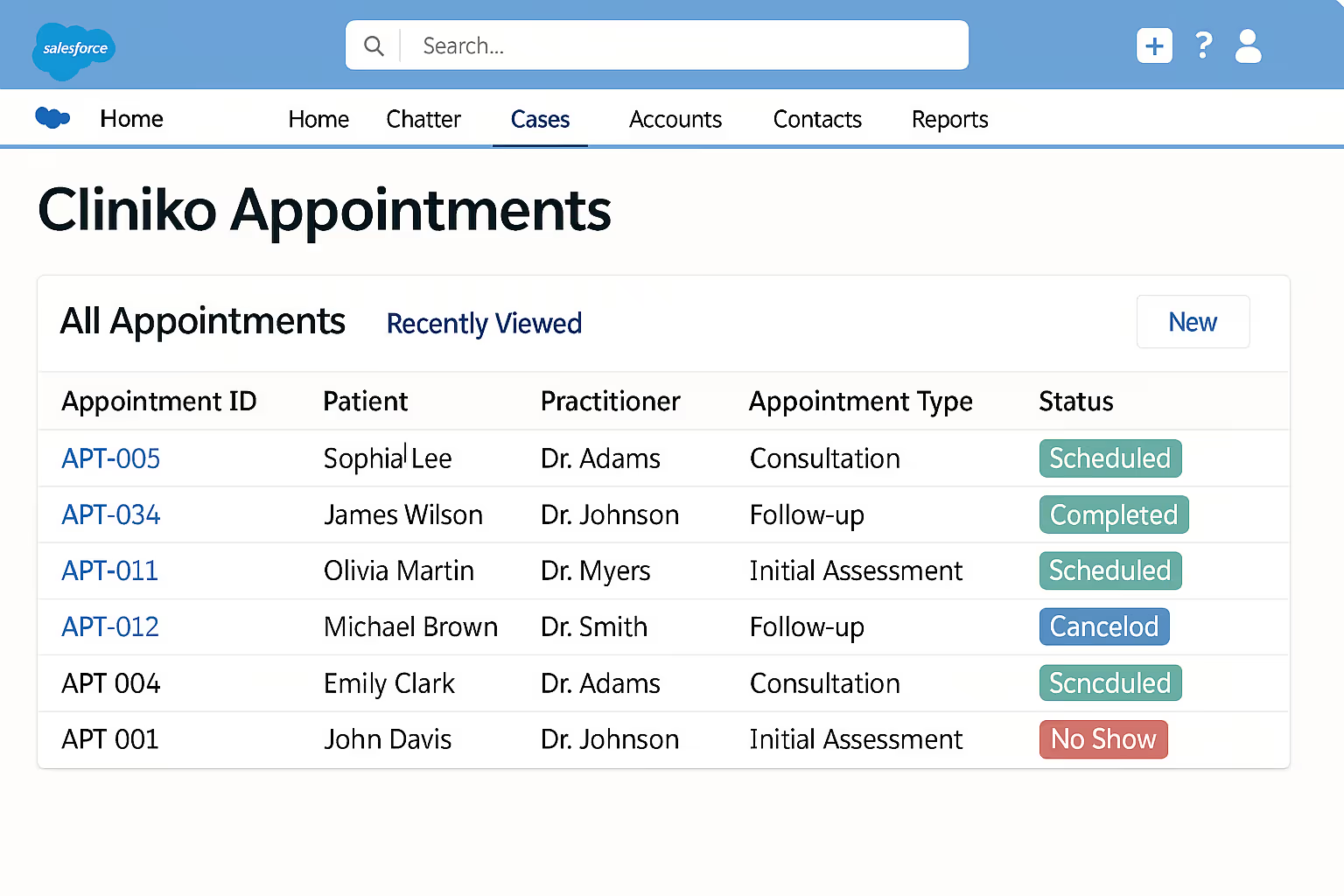
Cliniko Appointments as Salesforce Objects

Automatically track all Cliniko appointments as custom Salesforce objects, categorized by status - Booked, Arrived, Did Not Arrive, or Cancelled. Sync telehealth URLs and enable automated follow-ups directly from Salesforce.

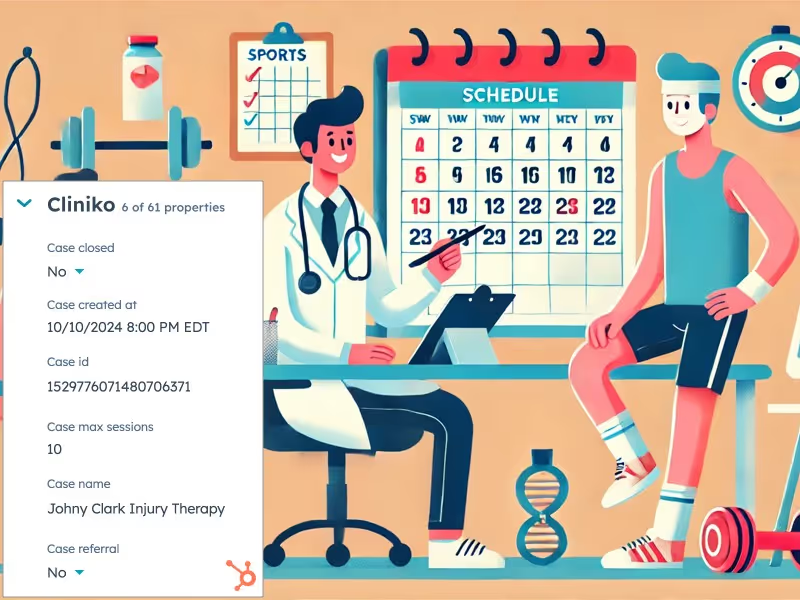
Case Information Sync

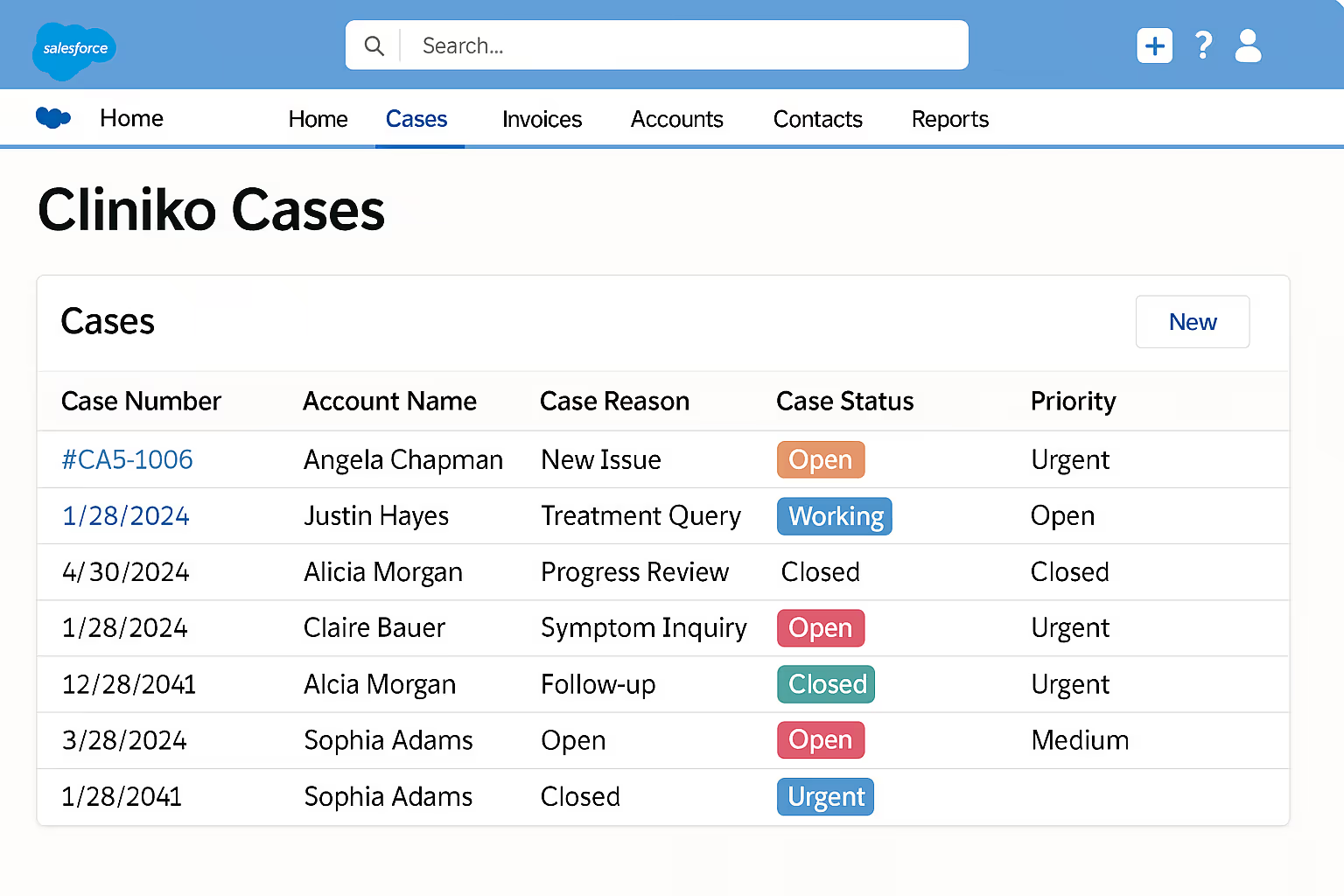
Case Information Sync

Automatically sync Cliniko case information as organized Salesforce objects. Gain visibility into key case details, milestones, session limits, and referral notes - all accessible alongside related appointments.

Cliniko Invoices in Salesforce

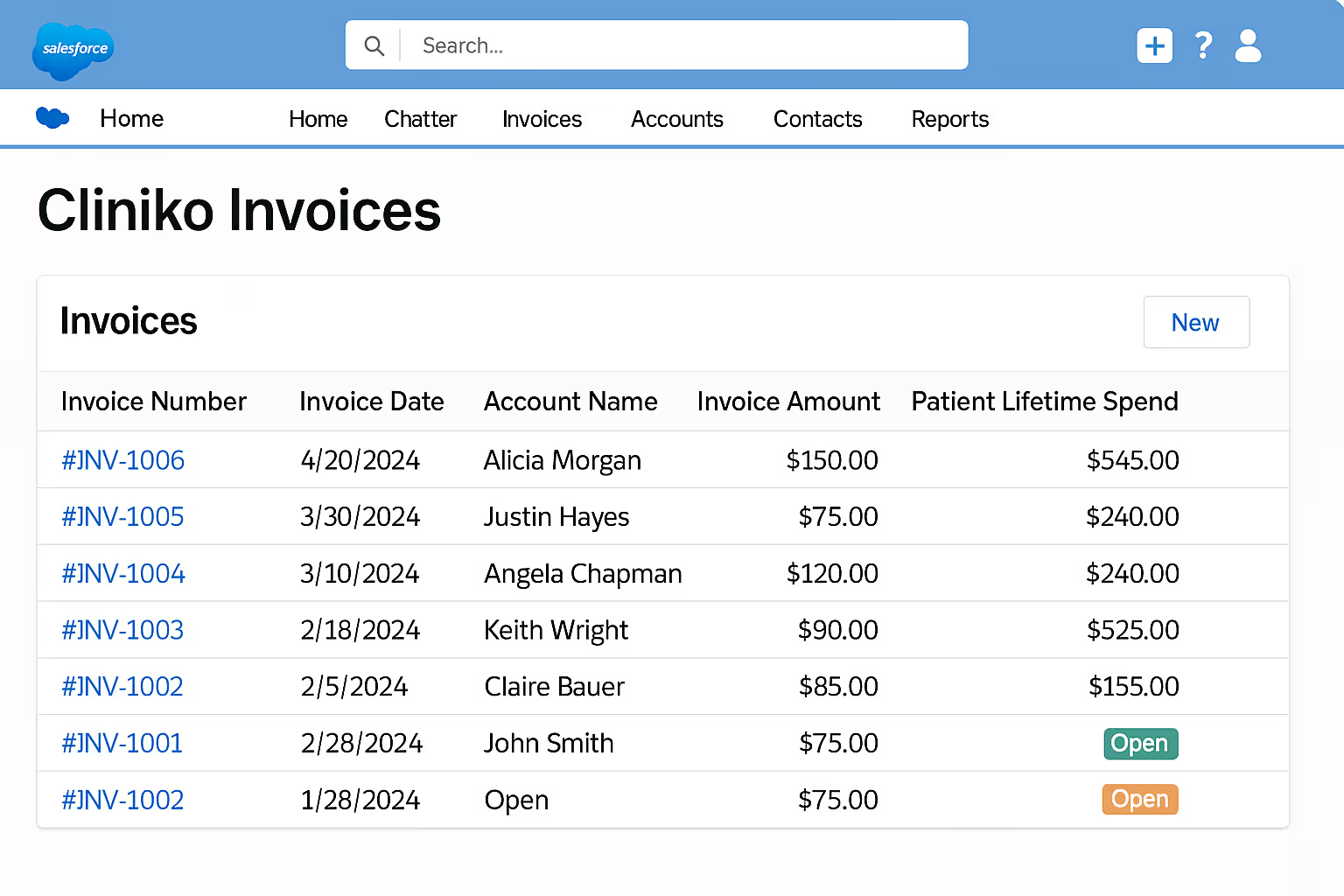
Cliniko Invoices as Salesforce Objects

Sync invoices as dedicated Salesforce objects capturing amounts, dates, patient lifetime spend, and payment status. Gain clear financial visibility and streamline billing operations.

Group Appointment Management

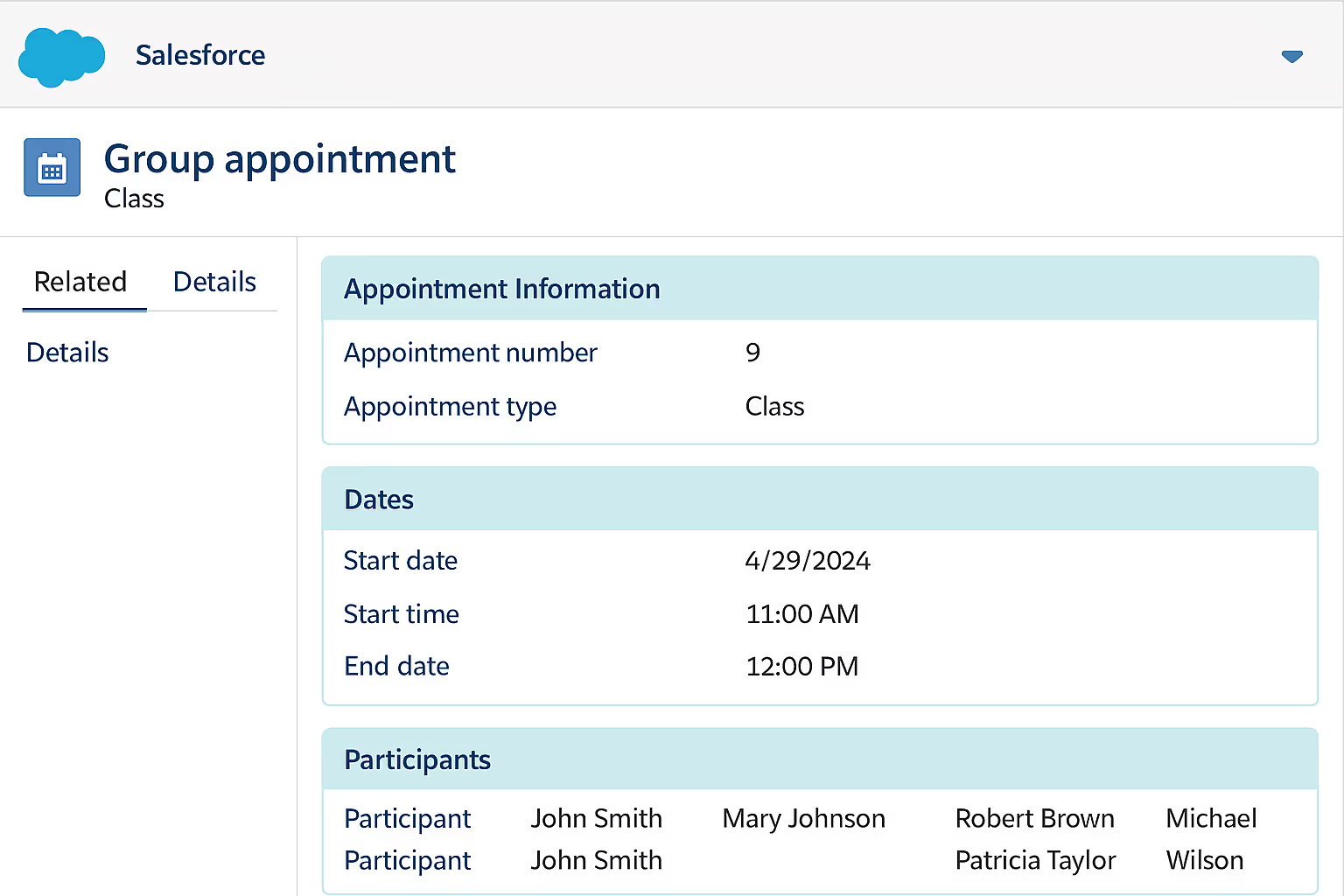
Group Appointment Management

Effortlessly manage and track group appointments from Cliniko within Salesforce. Each group session syncs as a custom object, keeping participant details accurate for classes, workshops, or therapy sessions.

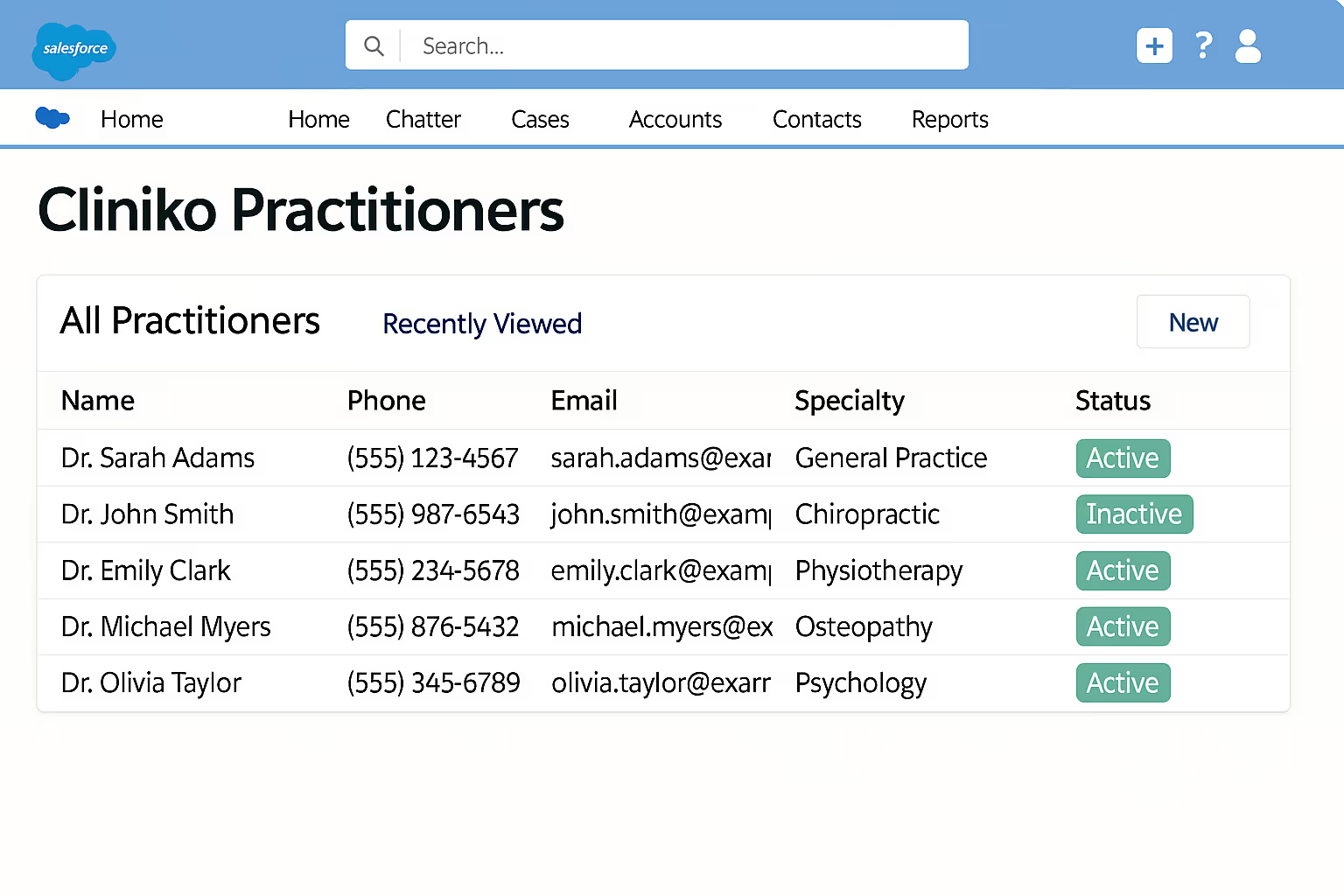
Practitioners and Businesses in Salesforce

Practitioners and Businesses as Salesforce Objects

Sync Cliniko practitioners and business locations into Salesforce as dedicated custom objects. Track practitioner details, clinic locations, and appointment activities to streamline management across multiple locations.

Multi-Clinic Scalability

Scalable for Multi-Clinic Networks

Seamlessly supports large-scale healthcare organizations and franchise networks by syncing patient, appointment, and operational data between multiple Cliniko clinics and a single Salesforce instance.

See Pricing →
Flexible pricing based on your needs

Every Feature at a Glance

Bi-Directional Patient Sync
Bi-Directional Contact Sync
Appointment Sync to Salesforce
Group Appointment Management
Case Information Sync
Invoice Sync to Salesforce
Practitioner Sync
Business Location Sync
Multi-Clinic Support
Telehealth URL Sync
Duplicate Detection
Patient Lifetime Value Tracking
Custom Fields Support
Real-Time Webhook Updates

What Our Customers Say

Why CRMConnect vs. DIY Integration Tools?

Integrations aren't side-projects - they're critical infrastructure. CRMConnect is a turnkey, professionally-engineered solution built by experts with deep domain knowledge in Cliniko and Salesforce.

CRMConnect
Make / Zapier
Custom Dev
Setup time
< 30 min
Weeks
Months
Two-way patient sync
✓ Built-in
✗ Manual
Custom build
Appointment sync
✓ Real-time
✗ Limited
Custom build
Case & invoice sync
✓ Automatic
✗ Basic
Custom build
Multi-clinic support
✓ Native
✗ Complex
Custom build
Group appointments
✓ Built-in
✗ No
Custom build
Maintenance
Zero - we handle it
You fix it
You maintain it
Support
VIP specialist support
Community / generic
Depends on dev
Starting cost
$24.75/mo
$50–200+/mo
$5,000+

Watch how it works in 2 minutes

Most customers understand the ROI before the demo is even over.

Flexible pricing based on the number of practitioners

CRMConnect bridges Cliniko and Salesforce, providing a unified platform to manage patient information and client relationships efficiently.

1
$24.75

/month

Requires a paid Cliniko subscription.

Schedule a Demo
Thank you! Your submission has been received!
Oops! Something went wrong while submitting the form.

Frequently asked questions

Everything you need to know

Why is this API App better than DIY tools like Make, Appy Pie or Pipedream?
This API App is a turnkey, professionally-engineered integration solution built by experts with deep domain knowledge in both applications.

Unlike DIY tools, which leave you to build, debug, and manage integrations yourself, our integration is pre-built, thoroughly tested, and includes sophisticated logic that ensures data flows accurately, reliably, and on-time.

It’s configurable, so you can tailor how your apps communicate without coding. Plus, you get VIP customer support from specialists who understand your specific business needs. Within minutes, your systems are fully connected - no technical headaches, no trial-and-error.

Integrations aren’t side-projects; they’re critical software infrastructure. Trust them to professionals who've perfected it through years of experience.
How does the pricing compare to DIY integration tools like Make, Appy Pie or Pipedream?
It ultimately depends on how much data you’ll sync between your apps. DIY integration tools typically charge per "task" performed - these costs add up quickly, especially when your integration demands sophisticated logic, data transformations (like dates or currencies), caching, and complex workflows.

Our API Apps, however, are built with advanced features and integrations that simply can't be replicated using these DIY tools.

Price-wise, our solutions offer a clear advantage: at your selected usage level (e.g., number of clients), we often allow you to sync unlimited records, including client data, sales, transactions, and more. This makes our API Apps not only superior in capability but also far more cost-effective as your needs scale.
How does the two-way patient and contact sync work?
CRMConnect provides instant patient and contact updates from Salesforce to Cliniko using real-time webhooks. Updates from Cliniko back to Salesforce run automatically every 15 minutes. Advanced matching and deduplication algorithms ensure accurate, seamless syncing - keeping your patient and contact records consistently up-to-date across both systems.
Do you sync both Cliniko patients and contacts?
Yes. CRMConnect fully syncs Cliniko patients and contacts with Salesforce contacts in both directions. It clearly distinguishes between patient and contact records, ensuring accurate, organized, and up-to-date information in both Cliniko and Salesforce.
Are appointments, cases, invoices and payments two-way synced?
No. Appointments, cases, invoices, and payments are only synced from Cliniko to Salesforce. The two-way sync is specifically for patient and contact data. This ensures your Salesforce environment stays accurate without compromising the integrity of your Cliniko data.
How much historical data is included with the integration?
One month of appointments and invoices are synced upon install. More historical transactions can be synced upon request for an additional cost.
Do you setup the Salesforce environment as well?
With the one-time onboarding fee of $5,000, we provide detailed guidance and collaborate closely with your Salesforce consultant to coordinate the necessary setup - such as creating custom objects, fields, and apex code for webhooks. However, we do not directly access or configure your Salesforce instance. It's essential that you have a qualified Salesforce consultant actively involved in your CRMConnect implementation. If you don’t currently have a Salesforce consultant, we're happy to provide a referral.
Still have questions?

Can’t find the answer you’re looking for? Please chat to our friendly team.

Ready to Connect Cliniko and Salesforce?

Join healthcare practices that have eliminated manual data entry and started focusing on what matters - delivering exceptional patient care.

2-minute interactive demo · No signup required

Explore More Cliniko API Apps

Discover our other ready-to-use integrations built to simplify your Cliniko workflows and boost your practice’s efficiency.

CRMConnect
Cliniko and HubSpot

ID: crmconnect_cliniko_hubspot_desc

CRMConnect
Cliniko and ActiveCampaign

ID: crmconnect_cliniko_activecampaign_desc

Blog Posts

CRMConnect bridges Cliniko and HubSpot, providing a unified platform to manage patient information and client relationships efficiently.

Blog Posts
Mindbody and Klaviyo
Automatically synchronize patient and contact data, including demographics, preferences, and appointment history.
Alec Whitten • 17 Jan 2022

Podcasts
Mindbody and Klaviyo
Automatically synchronize patient and contact data, including demographics, preferences, and appointment history.
Alec Whitten • 17 Jan 2022

Webinars
Mindbody and Klaviyo
Automatically synchronize patient and contact data, including demographics, preferences, and appointment history.
Alec Whitten • 17 Jan 2022
Case Studies
Mindbody and Klaviyo
Automatically synchronize patient and contact data, including demographics, preferences, and appointment history.
Alec Whitten • 17 Jan 2022
Schedule a Demo

Contact Us

Have a question about ? Send us a message.